
CCTV cameras have become an important part of security systems in homes, offices, shops, schools, hospitals and commercial buildings. From monitoring daily activities to protecting valuable equipment, these cameras help people keep an eye on their surroundings. As their use continues to grow, the need for people who understand CCTV installation, configuration and maintenance is also increasing.
For beginners interested in learning technical skills, CCTV installation and repairing can be a practical field to explore. However, working with security cameras involves more than simply fixing a camera to a wall. A technician needs to understand wiring, power connections, recording systems, network settings and common technical faults.
If you are planning to enter this field, this guide will help you understand the basic concepts, tools and skills involved in CCTV camera installation and repair. It will also explain how practical training at SMTTC Institute, Patna, can help beginners get familiar with this technical field.
1. What Does a CCTV Technician Actually Do?
A CCTV technician is responsible for installing, configuring, testing and maintaining video surveillance systems. The exact work depends on the type of security setup and the requirements of the customer.
Some common responsibilities include:
-
Installing CCTV cameras at suitable locations.
-
Connecting cameras with DVR or NVR recording systems.
-
Managing power supply and video connections.
-
Setting up cables and network connections.
-
Configuring mobile viewing and remote access.
-
Checking recording and playback functions.
-
Identifying problems such as no video, poor image quality or connection failure.
-
Performing routine maintenance and basic repairs.
A technician must also understand the customer's security requirements before suggesting camera positions or equipment. Proper installation helps provide better coverage and reduces problems during regular use.
2. Different Types of CCTV Cameras Beginners Should Know
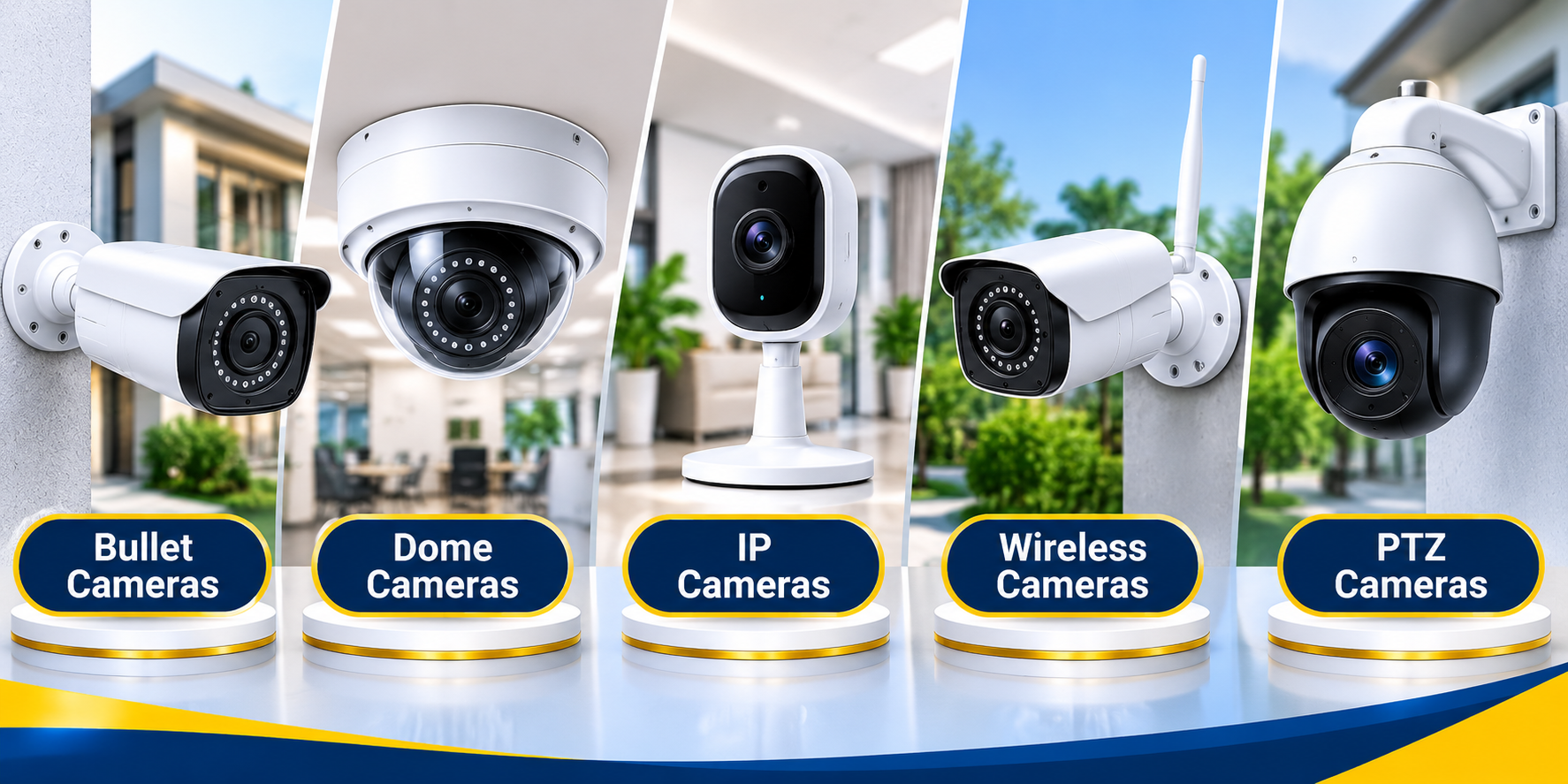
Before learning installation, it is useful to understand the different camera types available in the market. Each camera is designed for particular environments and monitoring requirements.
Bullet Cameras
Bullet cameras have a long, cylindrical design and are commonly used outdoors. They are suitable for monitoring entrances, parking areas, boundary walls and open spaces.
Dome Cameras
Dome cameras have a rounded cover and are frequently installed in offices, shops, corridors and indoor areas. Their compact appearance makes them suitable for locations where a less noticeable camera design is preferred.
IP Cameras
IP cameras transmit video through a network connection. They can be connected to network recording systems and may support remote viewing, depending on their configuration.
Wireless Cameras
Wireless CCTV cameras use wireless network connectivity for video communication. However, many models still require a power connection. Understanding this difference is important when planning an installation.
PTZ Cameras
PTZ stands for Pan, Tilt and Zoom. These cameras allow users to change the viewing direction and zoom in or out through supported controls.
Understanding these camera types helps beginners select suitable equipment according to the installation location and monitoring needs.
3. Understanding DVR, NVR and CCTV Connections
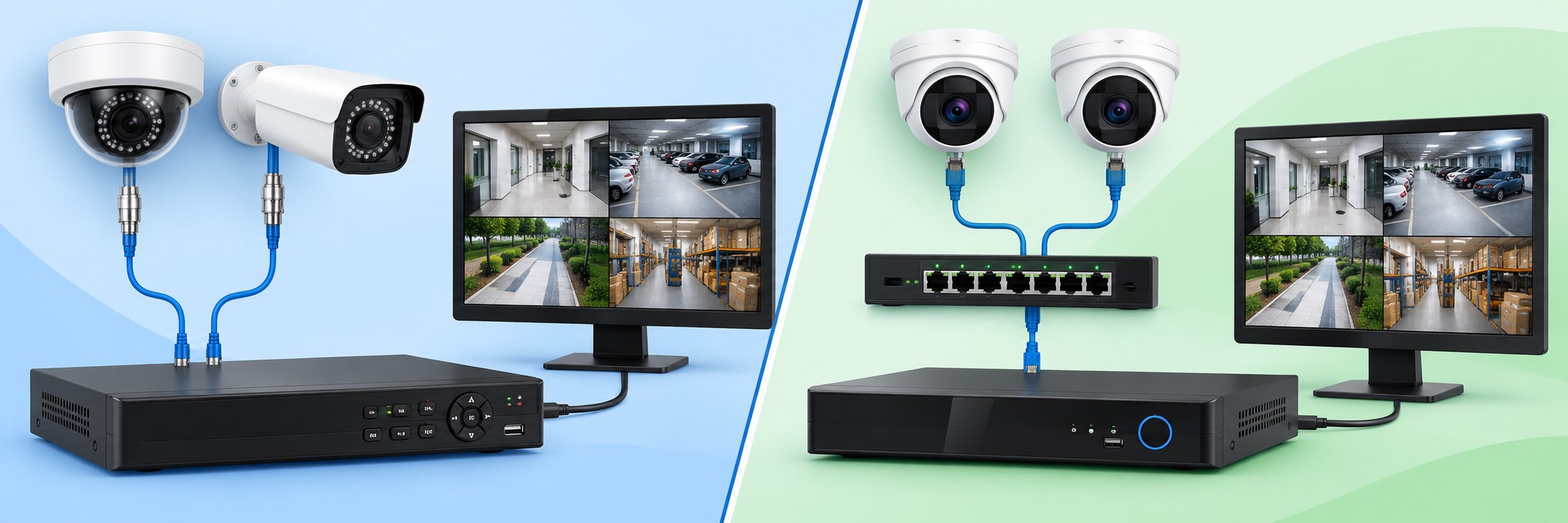
A CCTV system generally includes cameras, recording equipment, power supplies, cables and a display or viewing device.
Two important recording systems that every beginner should understand are DVR and NVR.
What Is a DVR?
DVR stands for Digital Video Recorder. It is commonly used with traditional analogue CCTV cameras. Video signals travel from the cameras to the DVR through compatible cables, where the footage can be recorded and accessed.
What Is an NVR?
NVR stands for Network Video Recorder. It is designed to work with IP cameras that transmit video over a network. Depending on the system, cameras may connect through network switches or directly to PoE-enabled NVR ports.
DVR vs NVR: Basic Comparison
|
Feature |
DVR |
NVR |
|
Common camera type |
Analogue cameras |
IP cameras |
|
Video transmission |
Usually coaxial cable |
Network connection |
|
Main connection |
Camera to DVR |
Camera to network/NVR |
|
Installation |
Traditional CCTV setup |
Network-based setup |
|
Configuration |
DVR settings |
Network and NVR settings |
A technician should understand these differences because choosing the wrong recording equipment or incompatible connections can create installation problems.
4. Essential Tools Used by a CCTV Technician
Proper tools make CCTV installation more organised and help technicians complete work safely and accurately.
Some commonly used tools include:
-
Digital multimeter: Used to check voltage, continuity and electrical connections.
-
Crimping tool: Helps prepare and attach compatible connectors to cables.
-
Screwdriver set: Required for mounting cameras, opening equipment covers and tightening connections.
-
LAN cable tester: Helps check network cable connections and wiring faults.
-
RJ45 connectors: Used for terminating compatible Ethernet cables.
-
Drill machine: Used to make mounting holes for cameras and cable routes.
-
BNC connectors: Used with compatible analogue CCTV connections.
-
Cable stripper and cutter: Helps prepare cables for installation.
Beginners should learn not only the names of these tools but also when and how to use them. Electrical safety and correct tool handling are equally important.
5. Step-by-Step CCTV Camera Installation Process
CCTV installation requires proper planning. Randomly placing cameras or connecting wires without checking compatibility can lead to poor coverage and technical problems.
Here is a basic overview of the installation process.
Step 1: Inspect the Installation Location
First, examine the area where cameras need to be installed. Identify entrances, exit points, corridors and other important locations.
Check lighting conditions, possible obstructions and the required viewing angle before selecting the camera position.
Step 2: Select Suitable Cameras
Choose the camera according to the location and purpose. For example, outdoor areas may require weather-resistant cameras, while indoor spaces may need compact dome cameras.
Also check compatibility with the recording system.
Step 3: Plan Cable Routing
Decide how power and video or network cables will reach each camera. Keep cables organised and protected from physical damage, moisture and excessive heat.
Step 4: Mount the Cameras
Use suitable mounting brackets and fix the cameras securely. Adjust their direction to cover the intended area without unnecessary blind spots.
Step 5: Connect the Recording System
Connect analogue cameras to compatible DVR equipment or IP cameras to a suitable network and NVR setup. Check power requirements and connector compatibility before switching on the system.
Step 6: Configure and Test
Set the required recording options, date and time, image settings and network configuration. Test the live view, recording and playback functions.
If remote viewing is required, configure it using the manufacturer's supported method and secure the system with strong passwords.
6. Common CCTV Camera Problems and Their Basic Troubleshooting
A CCTV technician should be able to identify common faults before replacing any equipment. Many problems are caused by loose connections, power issues or incorrect configuration.
|
Common Problem |
Possible Reason |
Basic Check |
|
Camera shows no video |
Power or cable issue |
Check power supply and connections |
|
Blurry footage |
Dirty lens or focus issue |
Clean lens and inspect focus |
|
Night vision not working |
IR or lighting issue |
Check camera settings and IR function |
|
Recording not available |
Storage or recording settings |
Check HDD status and recording schedule |
|
Remote viewing not working |
Network configuration issue |
Check internet and network settings |
|
Camera frequently disconnects |
Unstable power or network |
Inspect connections and power stability |
These are initial diagnostic checks, not guaranteed solutions. A technician should follow the equipment manufacturer's instructions and use appropriate testing methods before attempting repairs.
7. Practical Skills Beginners Should Learn
Reading about CCTV systems is useful, but technical understanding becomes stronger when learners get an opportunity to work with actual equipment.
Some important skills to develop include:
-
Identifying different CCTV camera models and their applications.
-
Understanding analogue and IP camera systems.
-
Preparing and connecting compatible cables.
-
Using a multimeter and cable testing equipment.
-
Connecting cameras with DVR and NVR systems.
-
Configuring recording and playback settings.
-
Understanding basic IP addressing and network connectivity.
-
Diagnosing common installation and connection problems.
-
Maintaining equipment and following electrical safety practices.
Beginners should focus on understanding why each connection or setting is required instead of simply memorising installation steps.
8. Career Opportunities After Learning CCTV Installation and Repairing

CCTV technology is used across many types of properties and businesses. This creates different work possibilities for people who develop the necessary technical skills.
Some potential work areas include:
-
CCTV installation technician.
-
Security camera maintenance technician.
-
DVR and NVR setup assistant.
-
CCTV service and troubleshooting technician.
-
Assistant with a security system installation company.
-
Independent CCTV installation and maintenance service provider.
The actual opportunities depend on practical ability, experience, equipment knowledge and local demand. Beginners can start by developing their installation and troubleshooting skills and gradually gain experience with different security systems.
9. Why Choose SMTTC Institute for CCTV Camera Training in Patna?
Learning a technical subject becomes easier when beginners can understand equipment, connections and troubleshooting procedures through structured guidance and practical exposure.
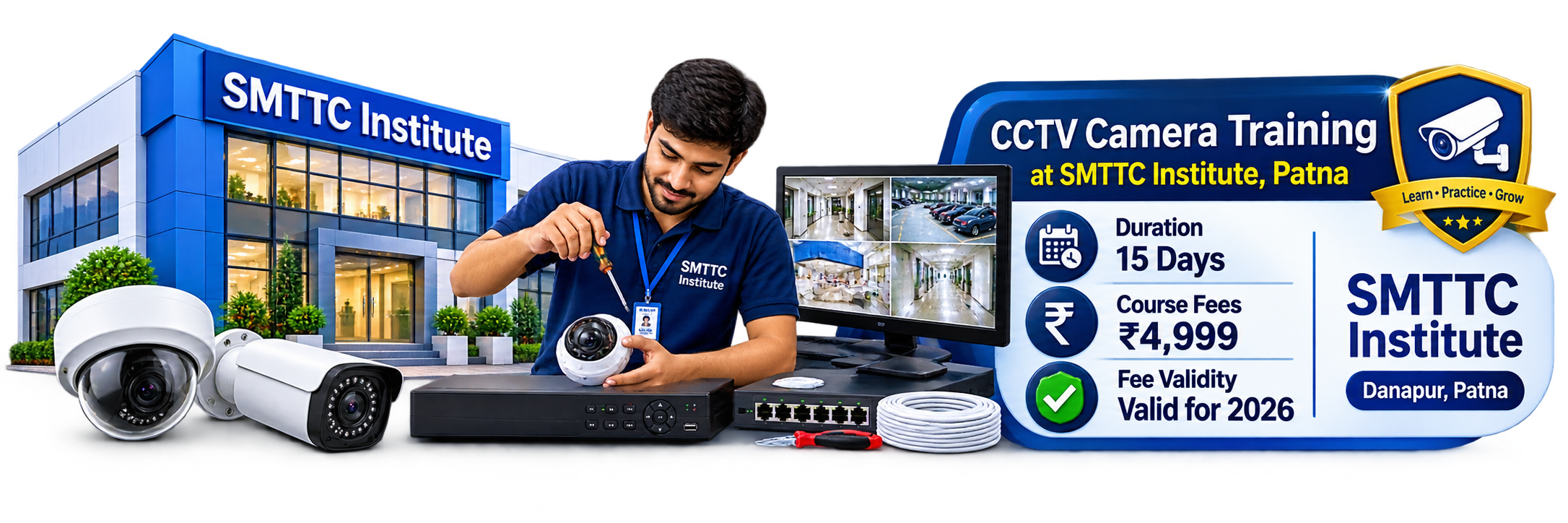
At SMTTC Institute, Patna, interested learners can explore the CCTV Camera Training course designed for beginners who want to understand CCTV installation and repairing fundamentals.
The course details are provided below:
|
Course Details |
Information |
|
Course Name |
CCTV Camera |
|
Duration |
15 Days |
|
Course Fees |
₹4,999 |
|
Fee Validity |
Valid for the year 2026 |
Important Fee Information: The course fee of ₹4,999 is valid for admissions during the 2026 calendar year. Any fee revisions applicable after this period will be communicated by the institute.
For someone starting from the basics, this course provides an opportunity to explore CCTV technology and develop an understanding of the field.
If you are searching for a CCTV Camera Repairing Course in Patna or CCTV Installation Course in Patna, you can contact SMTTC Institute to understand the training syllabus, practical sessions and admission details.
10. Frequently Asked Questions About CCTV Camera Training
Q1. Can a beginner learn CCTV camera installation?
Yes. Beginners can start by understanding camera types, cables, power connections and recording systems. Basic technical knowledge and regular practice can help them develop their skills.
Q2. How long is the CCTV camera course at SMTTC Institute?
The listed CCTV Camera course duration at SMTTC Institute is 15 days.
Q3. What is the fee for CCTV camera training at SMTTC?
The listed course fee is ₹4,999. Contact the institute to confirm the current fee and admission details.
Q4. What is the difference between DVR and NVR?
DVR systems are generally used with analogue cameras, while NVR systems are designed for IP cameras and network-based video transmission.
Q5. Do CCTV technicians need networking knowledge?
Basic networking knowledge is helpful, particularly when working with IP cameras, NVR systems and remote viewing configurations.
Q6. Can I work as a CCTV technician after training?
Training can help you build foundational knowledge. Becoming job-ready also requires practical experience, equipment familiarity and the ability to troubleshoot real installation problems.
Conclusion
CCTV installation and maintenance involve several technical skills, including camera selection, cable connections, recording system configuration and troubleshooting. For beginners, understanding these fundamentals is a useful starting point before working with more advanced security systems.
If you are interested in developing technical skills in this field, explore the CCTV Camera Training Course at SMTTC Institute, Patna. With a listed duration of 15 days and a fee of ₹4,999, it is an option worth considering for learners who want to understand CCTV technology and its practical applications.
Take the first step towards learning CCTV installation and repairing by contacting SMTTC Institute for course and admission information.